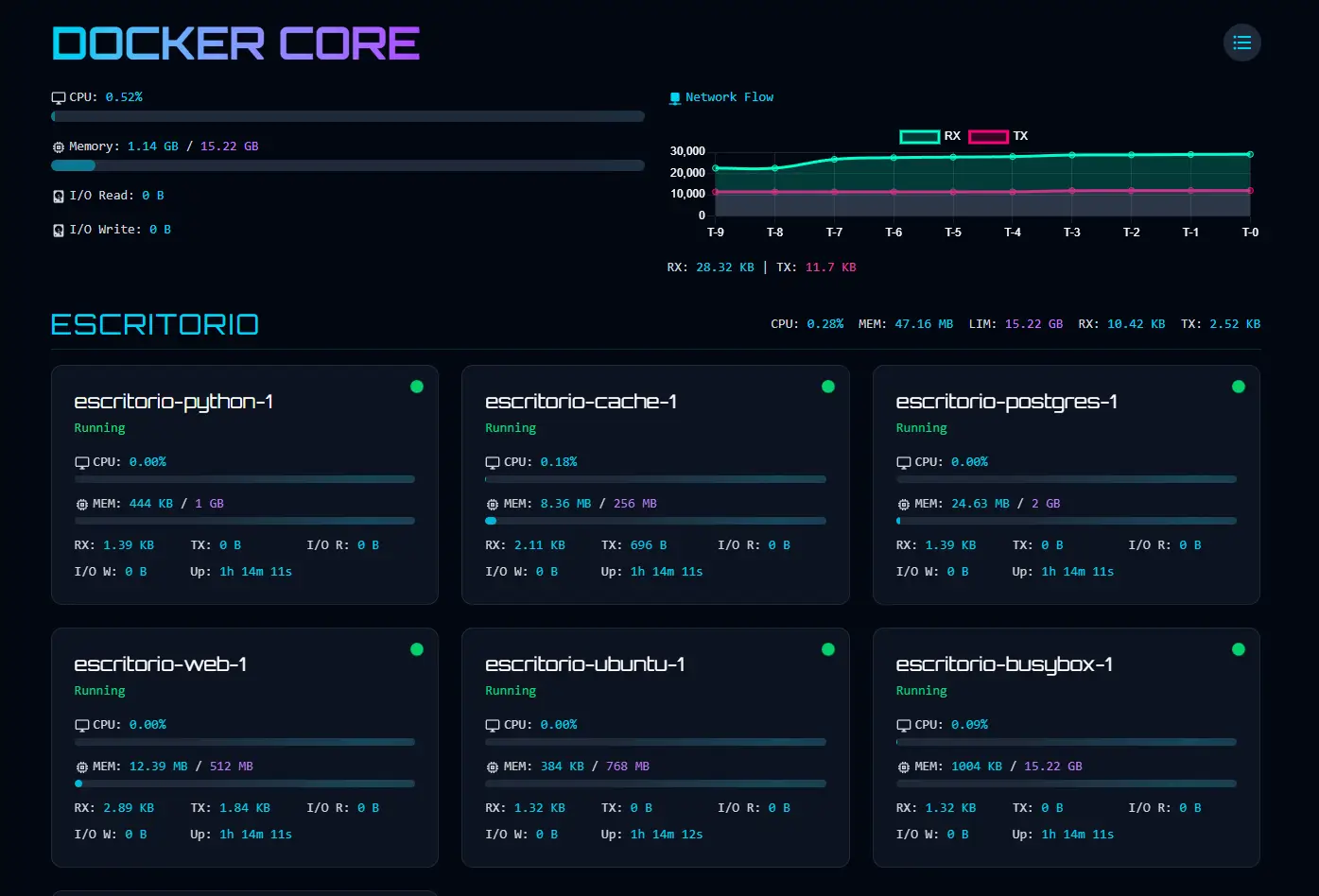
Docker Core Monitor is a powerful real-time container monitoring dashboard that visualizes Docker container performance metrics through an intuitive interface. Built with modern web technologies, it makes tracking container health and performance simple for developers and DevOps teams.
Key Features
- Real-time Monitoring: Track container stats as they happen with live-updating dashboard.
- Comprehensive Metrics: View CPU, memory, network, and I/O metrics in one place.
- Multiple View Modes: Switch between group view and list view to suit your workflow.
- Beautiful UI: Enjoy a modern interface with animations and gradient visuals.
- Responsive Design: Access your monitoring dashboard from any device.
- Easy Setup: Get up and running quickly with Docker Compose.
Why Choose Docker Core Monitor?
- Simplicity: Clean, intuitive interface that focuses on the metrics that matter.
- Performance: Lightweight monitoring with minimal overhead on your host system.
- Visual Appeal: Beautiful graphics make identifying issues and trends effortless.
- Open Source: Fully open-source with an active development community.
- No Agent Required: Works directly with Docker’s API with no additional agents needed.
Use Cases
- Development Environments: Monitor container performance during local development.
- Production Monitoring: Keep track of application containers in production environments.
- Resource Planning: Identify containers that need resource adjustments.
- Troubleshooting: Quickly pinpoint performance bottlenecks in containerized applications.
- DevOps Dashboards: Integrate with existing monitoring infrastructure.
Getting Started
To begin using Docker Core Monitor, you can quickly set up using Docker Compose:
- Clone the repository:
git clone https://github.com/matifanger/docker-core-monitor.git
- Navigate to the directory:
cd docker-core-monitor
- Start the application:
docker compose up -d
- Access the dashboard at
http://localhost:4173
Docker Compose File
services:
  backend:
    build:
      context: ./backend
      dockerfile: Dockerfile.backend
    container_name: docker-monitor-backend
    volumes:
      - /var/run/docker.sock:/var/run/docker.sock:ro
      - docker-monitor-data:/app/data
    ports:
      - "5000:5000"
    restart: unless-stopped
    networks:
      - monitor-network
    environment:
      - PYTHONUNBUFFERED=1

  frontend:
    build:
      context: ./frontend
      dockerfile: Dockerfile.frontend
    container_name: docker-monitor-frontend
    ports:
      - "4173:4173"
    environment:
      - PUBLIC_API_URL=${PUBLIC_API_URL:-http://localhost:5000}
      - PUBLIC_SOCKET_URL=${PUBLIC_SOCKET_URL:-http://localhost:5000}
      - PUBLIC_REFRESH_INTERVAL=${PUBLIC_REFRESH_INTERVAL:-5000}
    depends_on:
      - backend
    restart: unless-stopped
    networks:
      - monitor-network

networks:
  monitor-network:
    driver: bridge

volumes:
  docker-monitor-data:
    driver: local
Docker Core Monitor makes container performance monitoring intuitive and accessible, giving you the insights you need to maintain healthy containerized applications without the complexity of traditional monitoring solutions.